Faceless Reels - AutoAIReel
- 4.5
- Rating
- 10.00K
- Installs
- Free
- Price

 Analysis by App-foxy
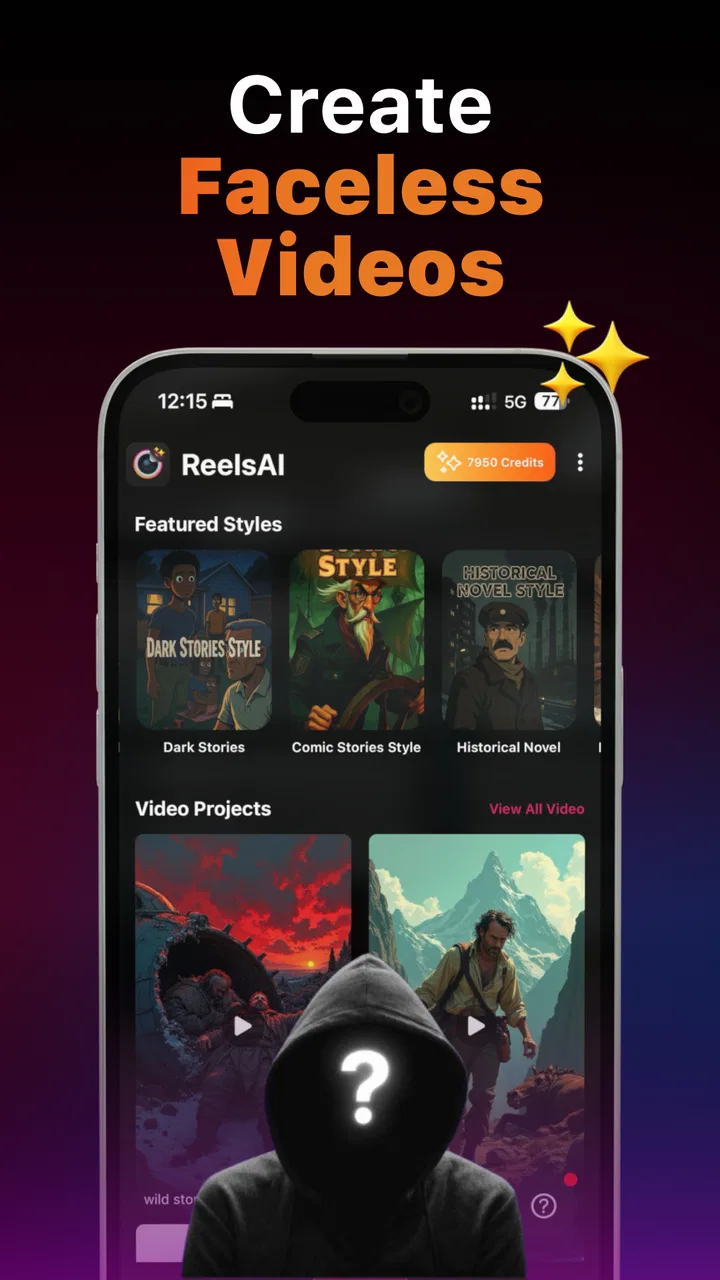
I approached Faceless Reels - AutoAIReel as a practical tool rather than a novelty: could it help me turn a rough idea into a short video without filming myself, recording a voice, or opening a complicated editor? That is the central appeal here. It sits in the video players and editors category, but its focus is narrower than a traditional timeline editor. The app is designed around AI-assisted short-form storytelling, especially for creators who want a visual presence without appearing on camera.
That makes it interesting for a very specific kind of user. If you want to publish quick story videos, explainers, motivational clips, or themed social content while staying off-screen, the workflow feels much more relevant than a general video editor. If you need detailed control over every frame, professional color work, or a carefully synchronized multi-track production, I would look elsewhere. My experience is that this app works best when I treat it as a fast creative starting point and then judge each result critically before sharing it.
Starting with an idea instead of a camera
The most useful thing about the app is the way it lowers the barrier between an idea and a first draft. I do not need to begin with a filmed performance or a folder full of original footage. I can start with a subject, a short story concept, or a message I want to communicate, then shape that idea toward a faceless vertical video. For someone who tends to postpone posting because production feels too demanding, that change in starting point matters.
You May Also Like

 Pandora - Music & Podcasts
Pandora’s Music Is Easy to Start, but Harder to Recover
Pandora’s strength is its low-effort path from a seed to a station. Its weak spot is how much confidence it asks you to place in connection, setup, and quiet recovery.

 AccuWeather: Weather Radar
AccuWeather Review: A Quick, Clear Forecast for Everyday Decisions
For everyday plans, the best forecast is the one you can understand quickly. AccuWeather makes rain timing, radar, and local conditions easy to act on, with a few trade-offs.

 Hill Climb Racing
Why Hill Climb Racing Still Turns Crashes Into One More Run
A tiny car, a bumpy hill and one more upgrade: Hill Climb Racing keeps resurfacing because its simple chaos makes every near-miss feel personal.

 AliExpress - Shopping App
AliExpress Makes Global Shopping Feel Personal, but Shoppers Bear the Risk
AliExpress turns a global marketplace into a pocket-sized discovery engine. Its reach is useful, its shopping loop compelling, and its trade-offs easy to miss.

 Lords Mobile: Kingdom Wars
Lords Mobile Is a Kingdom-Building Routine, Not a Quick Match
A case-by-case verdict on the building, battles, device demands, and social commitments that make Lords Mobile rewarding for some players and exhausting for others.

 PDF Scanner app - TapScanner
TapScanner Makes Paperwork Easier to Capture, Check, and Share
TapScanner makes scanning with a phone feel less like a rescue operation and more like a dependable step in getting work done. Its capture tools are useful, though not flawless.
More From Our News Desk
View All News


A realistic example would be a small online seller who wants to post a short product-themed story during a lunch break. They may not have time to set up lighting, appear on camera, and edit several takes. A tool built around faceless reels can help them explore a simple narrative first: the problem, the discovery, and the outcome. The important advantage is not that every result will be ready immediately; it is that the blank page feels less intimidating.
I also found that the app suits creators who prefer consistency over personal exposure. A themed account can use the same general style across short videos without requiring the owner to become the face of the channel. That could work for educational snippets, fictional micro-stories, inspirational content, or niche commentary. The trade-off is that a faceless format can feel impersonal if the writing and visual choices are generic, so the creator still needs to add a recognizable point of view.
The application is free to install, which makes it easy to test without committing money at the beginning. Its age classification is Teen, a sensible boundary for a creative publishing tool that may be used to produce public-facing content. I would still recommend that younger users involve an adult when creating accounts, sharing videos, or deciding what personal information to include in scripts and visuals.
What kind of creator benefits most
I see the strongest fit among beginners, busy social media users, and people experimenting with a new content theme. It is also useful for anyone who has ideas but does not want to learn a full desktop editor before making a first post. The short-video focus keeps the goal concrete: create something brief, readable, and easy to watch on a phone.
It is less suitable for a filmmaker who already works with carefully recorded footage, a musician who needs exact beat editing, or a business team that requires a strict brand template. Those users usually benefit more from a conventional editor with precise timeline controls and dependable asset management. The AI approach saves effort at the beginning, but it also means I have to inspect the result rather than assuming the first version reflects my intention.
One non-obvious lesson is that the quality of the initial prompt matters less than the clarity of the intended audience. Before creating anything, I get better results when I decide whether the video is meant to teach, entertain, persuade, or tell a story. A vague request can produce a visually active clip with no clear reason to keep watching. A simple audience decision gives the draft a job to do.
Building the first short video
The making process feels closer to directing a rough concept than manually assembling every element. I begin with the message and then evaluate how the app turns it into a short-form structure. This is where I would avoid writing a long paragraph full of unrelated ideas. Short videos need one central promise, and the app is easier to judge when I give it a focused subject.
For example, instead of asking for a general video about healthy habits, I would narrow the idea to one practical behavior and one reason it matters. That gives the generated story a better chance of staying coherent. I can then look at the sequence as a viewer: does the opening establish the subject quickly, does the middle add something useful, and does the ending feel like an ending rather than an abrupt stop?
The faceless format changes how I think about pacing. Since there is no presenter carrying the viewer through personality alone, the script and visual rhythm have to do more work. Text needs to be easy to follow, scene changes need a purpose, and the first moments need to make the topic clear. I would not treat automatic generation as a substitute for editing judgment. It is more helpful as a way to get a workable draft on screen.
My practical workflow is to create a short version first, watch it without editing, and write down the one biggest problem. Sometimes that problem is a weak opening. Sometimes the wording is too broad, or the visual sequence does not match the message. Fixing one major issue at a time is more productive than changing everything at once, especially on a phone where constant rearranging can become tiring.
The strongest use of this app is rapid concept testing, not blind one-tap publishing. I can try several angles for the same subject and quickly see which one has the clearest structure. That is valuable for creators who are still discovering their voice. It also prevents me from spending an hour polishing an idea that was never strong enough to begin with.
Where AI assistance helps and where it needs supervision
AI-generated creative work can make a video feel complete before it is actually accurate or persuasive. I pay particular attention to claims, names, dates, and wording that sound confident but may not fit the intended subject. For educational or promotional content, I would verify important statements myself before publishing. A polished presentation does not automatically make the information reliable.
Another issue is emotional tone. A story about grief, health, money, or personal difficulty can become awkward if the language is too dramatic or the imagery feels disconnected. I would use the app more confidently for light explainers, simple narratives, and general-interest topics than for sensitive subjects requiring careful nuance. In those cases, human rewriting is not optional; it is part of responsible production.
There is also a branding trade-off. Automated visuals can help a new account look active, but repeated generic imagery may make several posts feel interchangeable. I would keep a small set of recurring choices in mind, such as a consistent tone, a recognizable opening style, or a repeatable subject format. Even if the app handles much of the construction, the creator should supply the identity.
Improving, handing off, and deciding whether to keep it
I’d use this section to decide whether a draft is improving for the right reasons, not just accumulating more edits. Keeping a brief note of what I changed can reveal which kinds of prompts and story openings work best for my own subjects, while a consistent file-naming habit makes it easier to pass the approved version on without confusion. From there, the practical question is whether that smoother process earns a place in my regular toolkit.
Iteration is where the real value appears
The first draft is only the beginning of my review process. I watch it once for general impression, once with the sound off to check whether the visual message still works, and once while focusing on the wording. That three-pass habit reveals problems that are easy to miss when I am busy making changes. A video can sound fine but be difficult to understand silently, or look attractive while saying almost nothing.
I also recommend shortening before adding. When a faceless reel feels slow, the instinct may be to add more images, transitions, or text. Usually the better question is whether one sentence can be removed. Short-form viewers do not need every background detail. A tighter script gives the visuals room to breathe and makes the central idea easier to remember.
A useful advanced workflow is to create two versions from the same concept: one that leads with a question and another that leads with the conclusion. The comparison tells me whether the topic depends on curiosity or immediate usefulness. This is a better test of the app than producing unrelated videos, because it shows how flexibly the same idea can be shaped.
I would also keep a private record of what I changed. If I repeatedly replace the same type of wording or remove the same kind of scene, that becomes a personal editing rule for future projects. Over time, the app can function as a draft assistant while my own judgment becomes the quality-control layer. That is a more realistic long-term benefit than expecting the generator to learn my style automatically.
Export and handoff expectations
Before sharing a finished video, I check it as a complete piece rather than as a collection of attractive parts. I look for readable text, a sensible ending, and a clear relationship between the narration or wording and the visuals. I also watch it on the phone where I expect people to see it. A layout that appears comfortable while editing may feel crowded on a smaller screen.
The handoff stage is especially important for anyone managing several accounts. I would name each finished file clearly and keep the approved script alongside it, so I know which version is ready to post. If I make multiple revisions, I avoid relying on memory. A simple naming habit prevents the common mistake of uploading an earlier draft with an outdated message.
I would not assume that an automatically assembled video needs no final check before publication. Captions, visual context, and wording all affect accessibility and trust. If the app gives me a strong starting composition, I still want to make sure the result represents what I actually mean. This is also the point where I would remove unnecessary personal details or claims that could create problems once the video is public.
The free entry point is helpful, but the presence of in-app purchases means I would pay attention to what becomes available only through optional spending before building a serious workflow around it. The listed purchase range runs from a few dollars to amounts approaching one hundred dollars per item, so I would test the free experience first and decide whether the time saved justifies any upgrade. I would not purchase simply because a generated draft is imperfect; I would purchase only if the added value solves a repeated production problem.
How it compares with ordinary video editors
Compared with a standard mobile editor, this app is more appealing when the main challenge is starting. Traditional editors give me direct control over clips, cuts, audio, text placement, and timing, but they also expect me to bring the raw material and make many creative decisions myself. A faceless AI-focused workflow reverses that balance: it can help shape the concept, while I spend more time reviewing and refining the result.
That convenience comes with less certainty. In a conventional editor, I know exactly which clip I selected and where it begins. With an AI-assisted approach, I have to inspect whether the generated structure actually supports the message. For a quick daily post, that exchange may be worthwhile. For a campaign with strict visual requirements, manual editing remains the safer choice.
Compared with recording a talking-head video, the app removes the need for appearance, lighting, and repeated takes. That is a genuine advantage for shy creators or anyone working in a noisy or unsuitable environment. The cost is a possible loss of warmth and credibility. A personal voice, natural expression, or real demonstration can communicate trust more effectively than a fully faceless presentation, depending on the subject.
Compared with outsourcing short videos, it gives me more control over timing and experimentation. I can try an idea without waiting for another person to interpret it. However, an experienced editor or writer may still produce a more distinctive result, especially when the content needs humor, emotional subtlety, or a carefully protected brand voice.
Practical fit, version, and everyday usability
The developer behind the app is AutoAIReels - Create Faceless Videos, and the current version is 2.1.39. It supports devices running Android 8.0 or newer, which makes it accessible to many Android users who are not using the latest phone. I would still keep expectations realistic on older hardware: AI-assisted creation and video processing can feel less comfortable on a device with limited storage, battery, or performance.
The app has a 4.5 average from around 6.9 thousand ratings, with over ten thousand installs. Those figures suggest that it has attracted meaningful early interest, but I would interpret them as a reason to try it, not as proof that it will fit every workflow. The experience depends heavily on how much creative control I need and how carefully I am willing to review automated output.
For a person who wants to publish one or two themed reels each week, the app can reduce the friction of planning and drafting. For someone producing many client videos under deadlines, I would first test repeatability: can the style stay consistent, can revisions be made quickly, and can the final handoff fit the team’s process? If those answers are not satisfactory, a more established editor may be a better investment of time.
My verdict for creators deciding today
I recommend Faceless Reels - AutoAIReel to beginners and independent creators who want to explore short-form storytelling without appearing on camera. Its real strength is the jump from a loose concept to a reviewable draft. It can help me discover whether an idea has enough shape for a reel, and it makes experimentation less intimidating than starting with a blank editing timeline.
I would skip it if my priority is exact manual control, sophisticated audio work, detailed motion design, or a highly consistent commercial identity. I would also avoid treating it as a replacement for fact-checking, writing judgment, or final quality control. The app can accelerate production, but it cannot decide whether a message is honest, useful, or worth publishing.
My best advice is to use it in a two-stage workflow: let it help with the first construction, then become a demanding editor. Keep the subject narrow, inspect every claim, shorten anything that drags, and make sure the visuals serve the message rather than merely filling space. That approach turns automation into a practical advantage instead of a shortcut that weakens the finished work.
For me, the app earns its place as a creative launchpad. It is free to try, focused on faceless short videos, and approachable for people who do not want to become camera personalities. Its limitations become clear when the project needs precision or a strongly individual style, but within its intended lane, it can help turn an idea into something I can actually evaluate, improve, and hand off for publishing.
FAQs for Faceless Reels - AutoAIReel
01What is Faceless Reels - AutoAIReel, and who is it designed for?
Faceless Reels - AutoAIReel is a content-creation app designed to help users produce short-form videos without appearing on camera. It is mainly aimed at creators, marketers, small businesses, and social media managers who want to publish Reels or similar vertical videos using automated visuals, text, voiceovers, captions, and templates. It can be useful for beginners, although some editing and customization may still require manual adjustments.
02How does Faceless Reels - AutoAIReel create videos?
The app generally combines user-provided ideas, written scripts, stock-style visuals, artificial intelligence tools, background music, narration, and animated captions to build a finished short video. Depending on the available features and subscription level, you may be able to enter a topic, select a style, adjust the script, choose a voice, and export the result. Reviewing the generated content before publishing is recommended because automated wording and visuals may not always be perfect.
03Can I use the videos created with Faceless Reels - AutoAIReel for commercial purposes?
Commercial use depends on the app’s current terms, the subscription plan you choose, and the licenses attached to its music, images, video clips, fonts, voices, or other assets. Before using generated content for advertising, client work, or monetized social accounts, check the application’s licensing information carefully. You should also avoid uploading copyrighted material or creating content that violates platform rules, trademarks, privacy rights, or another person’s likeness.
04Is Faceless Reels - AutoAIReel free to download and use?
The application may be available to download at no initial cost, but certain tools can be restricted behind in-app purchases, subscriptions, usage limits, or premium export options. These restrictions may apply to advanced templates, AI generations, high-resolution downloads, watermark removal, voice options, or batch production. Always review the pricing page and trial conditions before confirming a subscription, especially because renewal policies can vary by Android or iOS.
05What should I check before publishing a Reel made with the app?
Before publishing, watch the entire video and check the script, spelling, pronunciation, captions, timing, transitions, image relevance, audio volume, and branding. AI-generated content can occasionally include inaccurate claims, awkward wording, repeated scenes, or unsuitable visuals. Confirm that the video meets the recommended aspect ratio and duration for your target platform, and verify that all assets are properly licensed. A final manual review helps the result look more professional and trustworthy.
Pros
- Creates short-form videos without requiring on-camera appearances.
- AI-assisted workflow can speed up scripting and reel production.
- Useful for creators who prefer voiceovers
- text
- or stock visuals.
- Can help maintain a more consistent social media posting schedule.
- Suitable for experimenting with multiple faceless content niches.
Cons
- AI-generated scripts may need editing to sound natural and accurate.
- Output quality can vary depending on the selected topic and assets.
- Some advanced tools or exports may require a paid subscription.
- Stock footage and templates may make videos feel less original.
- Rendering and exporting can take longer on older mobile devices.

Faceless Reels - AutoAIReel
Gallery